Features Apple Watch iPhone Duo Pricing Reviews What's new Download Free

Unfold your workout.

SmartGym has an interface designed for each way you use iPhone Duo. Closed, opened like a book, completely flat, resting on a surface or standing on its own.

One app. Five postures.

iPhone Duo is not one screen. SmartGym follows along as you move from one posture to the next. Same app, same data, same workout. The interface simply rearranges itself around the way you are using the device.

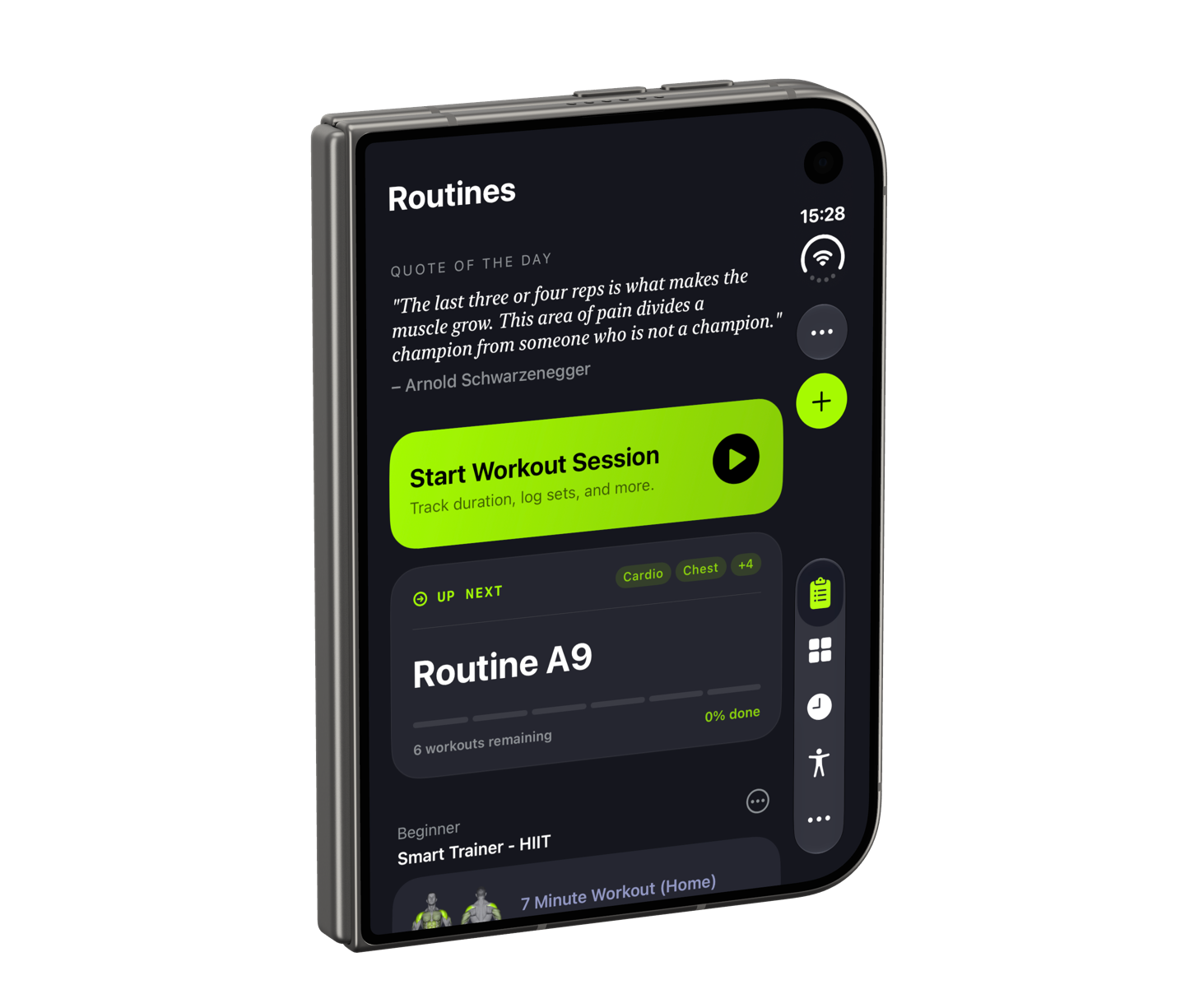
iPhone Duo closed, with SmartGym Routines on the cover display
ClosedIn one hand.
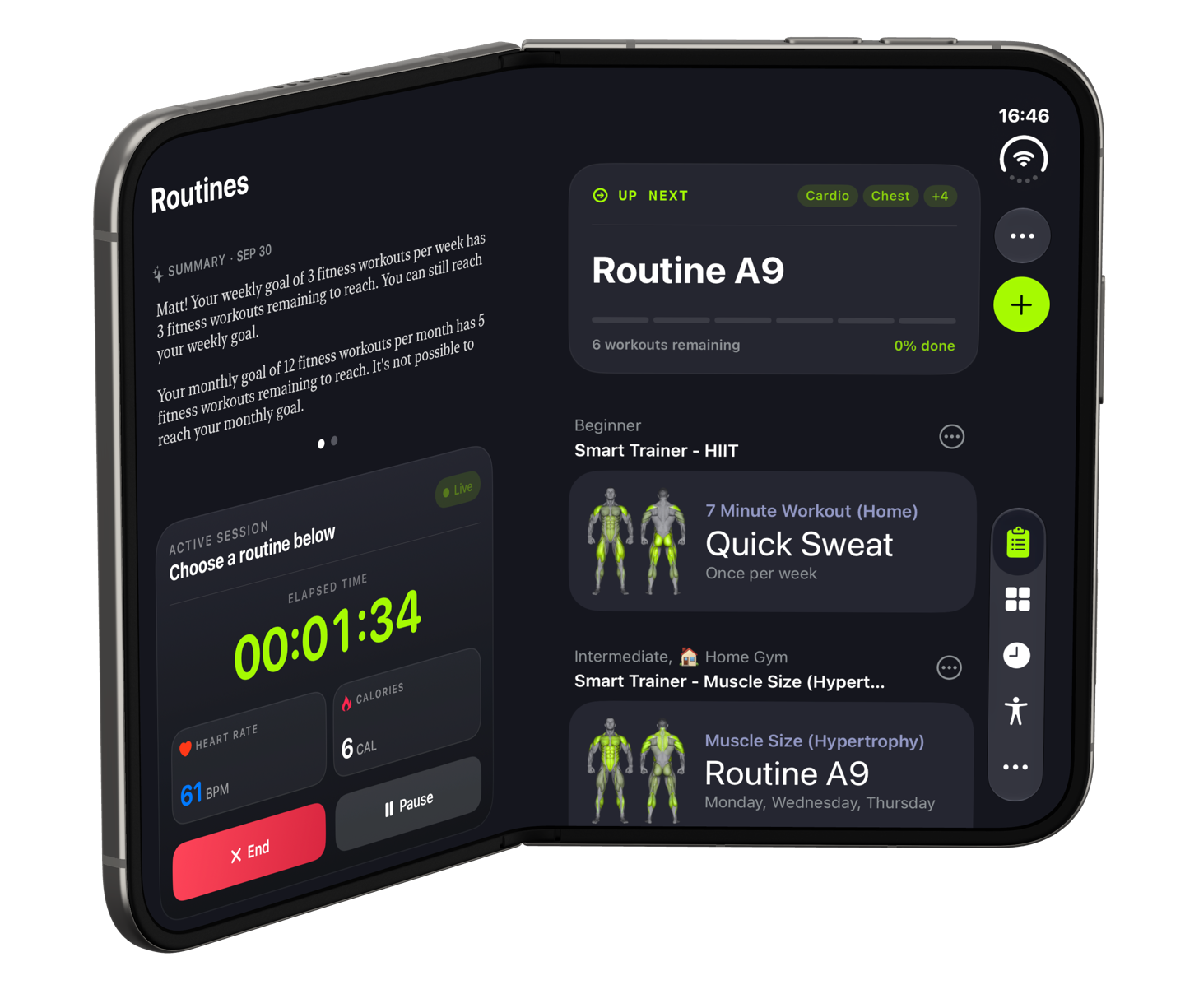
iPhone Duo opened like a book, with SmartGym Routines as two pages
Book StyleTwo pages.
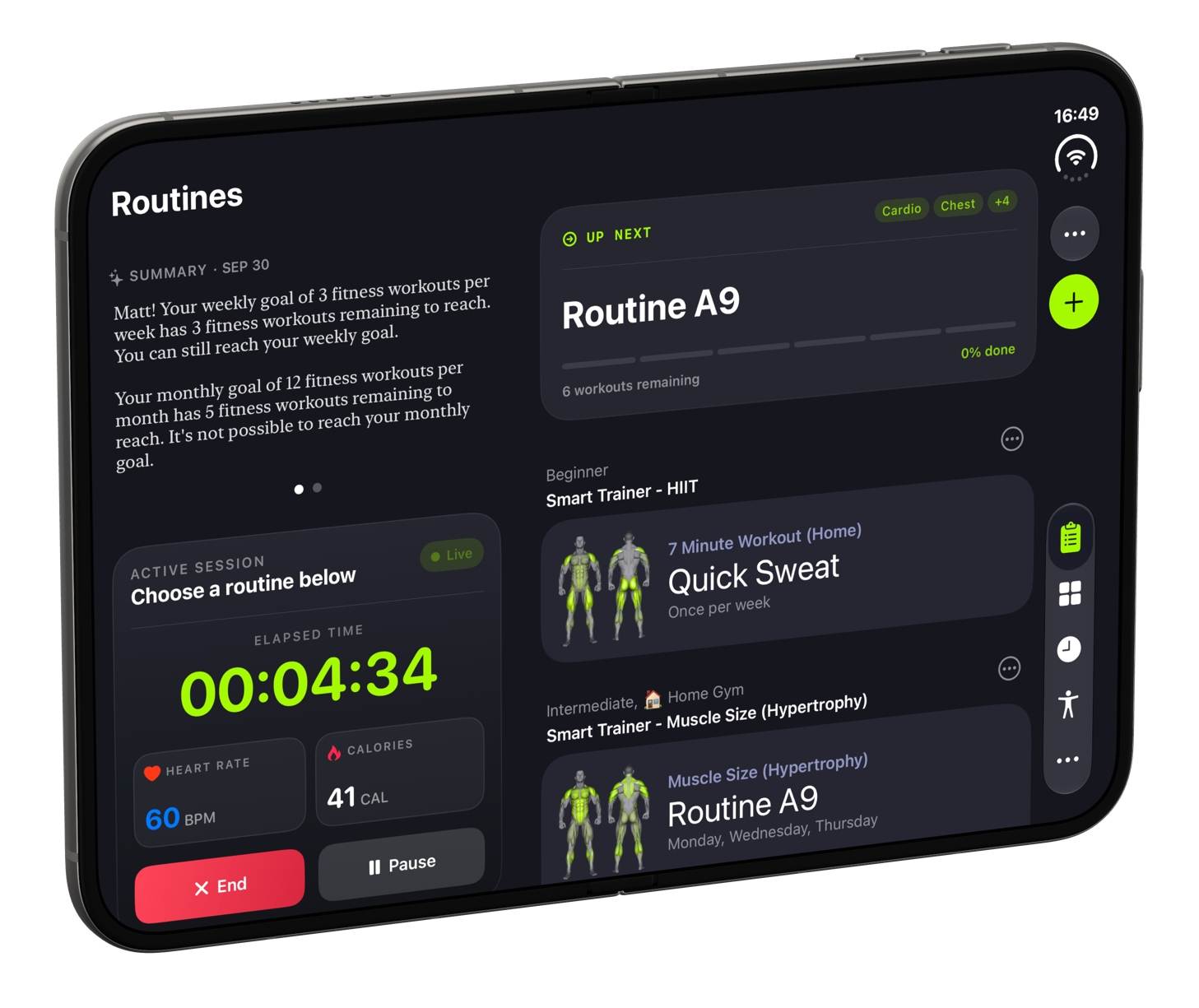
iPhone Duo fully opened, with SmartGym Routines on one large canvas
Fully OpenedOne large canvas.
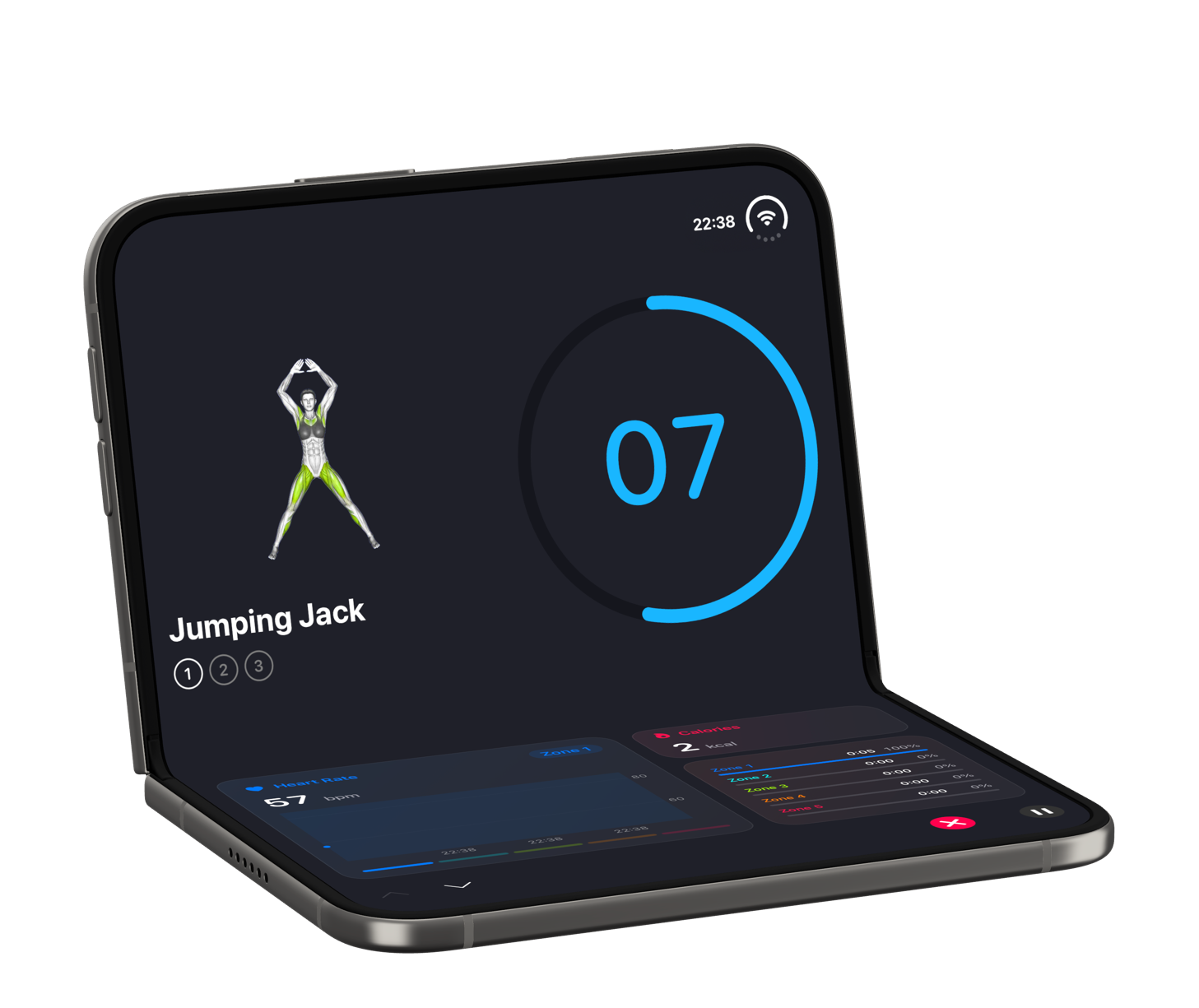
iPhone Duo folded halfway and resting on a surface, with a SmartGym HIIT workout
SeatedA tiny laptop.
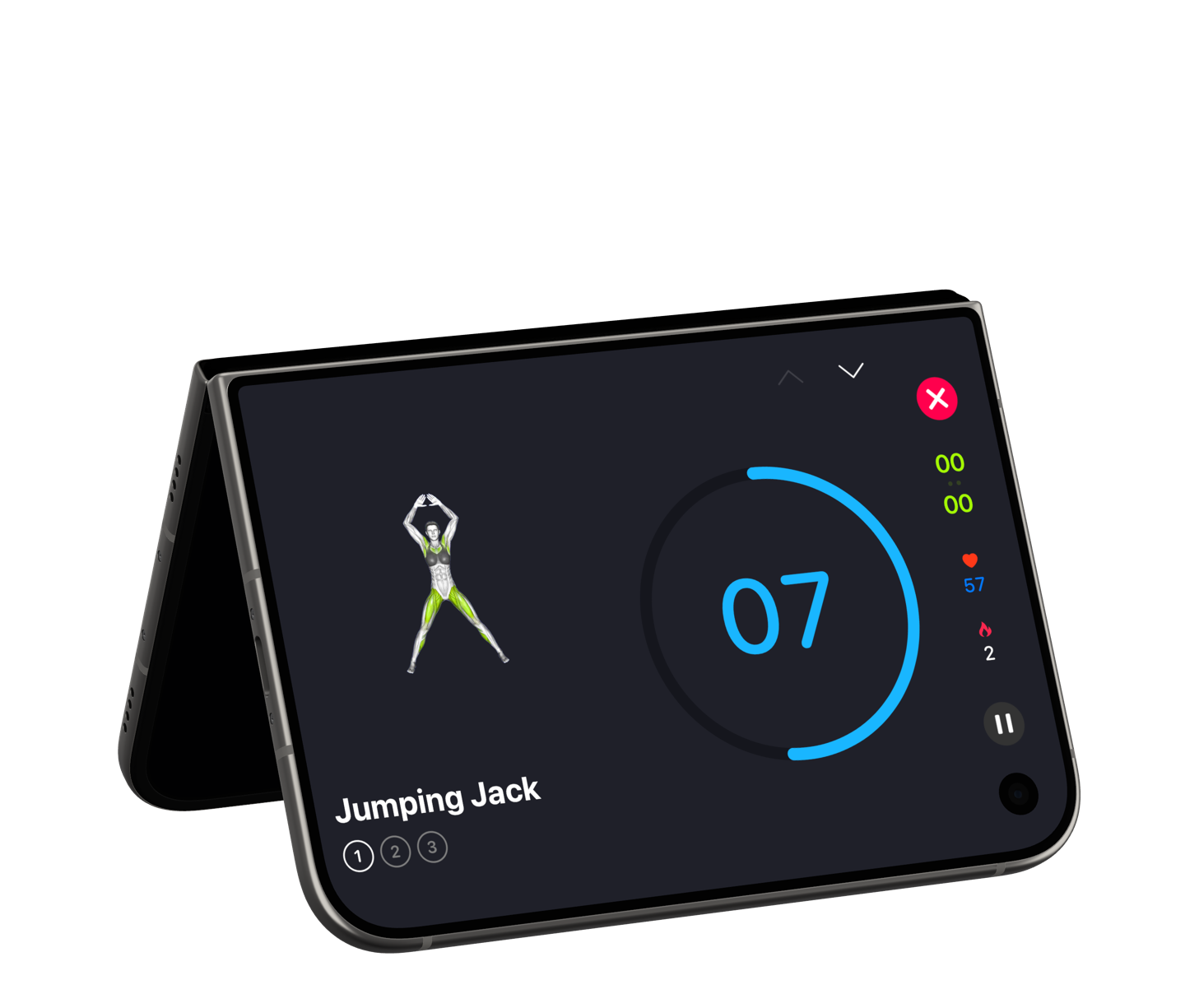
iPhone Duo standing like a tent, with a SmartGym HIIT workout on the cover display
TentStands on its own.

Closed, every pixel counts.

So we moved SmartGym's navigation out of the way. The tab bar and the main actions live along the side of the cover display, and your content gets everything else. Check what is up next, open a routine, review every exercise and start your workout session right from the cover display.

SmartGym Routines on the iPhone Duo cover display, with the tab bar and the main actions along the side A routine and its exercises on the iPhone Duo cover display An exercise, its sets and the Start Workout Session button on the iPhone Duo cover display

Check what is up nextOpen a routineReview every exercise and start your session

Two pages. Nothing across the fold.

Your summary and your active session take the left page. What is up next and all of your routines take the right. Open a routine and the pages follow you: the routine stays on the left, and the exercise you pick opens on the right, with its animation, its sets and its progress.

iPhone Duo in Book Style, with the summary and active session on the left page and what is up next on the right page iPhone Duo in Book Style, with a routine on the left page and the selected exercise on the right page

Your summary and your session on the left. What is up next on the right.The routine stays on the left. The exercise opens on the right.

One large canvas.

Completely flat, SmartGym stops treating the display as two pages and starts treating it as one large canvas.

SmartGym Routines on a fully opened iPhone Duo, with your summary and active session in the narrower column and what is up next in the wider one
Routines

SmartGym uses the whole display, with a narrower column for context and a wider one for detail.

During a workout

Your session never leaves the screen. We replace the tab bar on the side with a live view of your workout, with elapsed time, calories and heart rate.

Smart Action Button

The Smart Action Button always shows your next step.

History

Your calendar, your goals and every workout you have logged, side by side. On iPhone Duo, far more of it fits on screen at once.

Charts

One tap switches the calendar to a weekly view of your workouts, while your workouts stay right where they are.

Workout Summary

Numbers on one side. Charts on the other. Every metric and how it compares with the previous period, next to charts that finally have room to breathe.

Muscles

The full body map stays put while the list of muscles and the exercises behind each one scrolls beside it.

Fold it halfway. Set it on the floor.

HIIT is different. You are moving, usually on the floor, a few steps away from your phone. This is where iPhone Duo really shines. Seated, it becomes a tiny laptop: the exercise and the countdown on top, and a live heart rate chart, your calories, the time in each zone and the controls below.

A SmartGym HIIT workout on an iPhone Duo folded halfway and resting on a surface
A SmartGym HIIT workout on the iPhone Duo cover display

Closed

The exercise on top, a large countdown below, and your heart rate, calories and controls along the side.

A SmartGym HIIT workout on a fully opened iPhone Duo

Fully Opened

Open it and everything scales up. The exercise takes one side, the countdown takes the other.

A SmartGym HIIT workout on an iPhone Duo standing like a tent

Tent

No stand. No tripod. No leaning your phone against a water bottle.

One interface.
Not five.

None of this is a separate app, or a special mode you need to turn on. It builds on the Resizable UI work we introduced with SmartGym 8, the same foundation that lets SmartGym adapt across iPhone, iPad, Mac and visionOS. However you hold it, it just works.

SmartGym on iPhone Duo, in motion.

iPhone Duo FAQ

Does SmartGym support iPhone Duo?

Yes. SmartGym has an interface designed for each way you use iPhone Duo: closed, opened like a book, fully opened, seated and standing like a tent. It follows along as you move from one posture to the next.

Can I use SmartGym without opening iPhone Duo?

Yes. On the cover display you can check what is up next, open a routine, review every exercise and start your workout session. The tab bar and the main actions sit along the side of the display, within easy reach of your thumb.

What happens to my workout when I fold or unfold iPhone Duo?

Nothing is lost. It is the same app, the same data and the same workout. The interface simply rearranges itself around the way you are holding the device, and during a workout your session stays on screen.

What is the difference between Book Style and Fully Opened?

Slightly folded, like a book, SmartGym turns into two pages and nothing sits across the fold. Completely flat, it treats the display as one large canvas, with a narrower column for context and a wider one for detail.

Can I run a HIIT workout with iPhone Duo standing on its own?

Yes. Fold it halfway and set it on the floor: the top half shows the exercise and the countdown, and the bottom half shows your heart rate, calories, time in each zone and the controls. Stand it up like a tent and the cover display takes over in landscape.

Is SmartGym for iPhone Duo a separate app?

No. It is the same SmartGym, built on the Resizable UI work introduced with SmartGym 8. There is no separate app and no special mode to turn on.

Ready for iPhone Duo?

Download SmartGym for free on the App Store, or read the full story behind the update.

Read the Article Download SmartGym